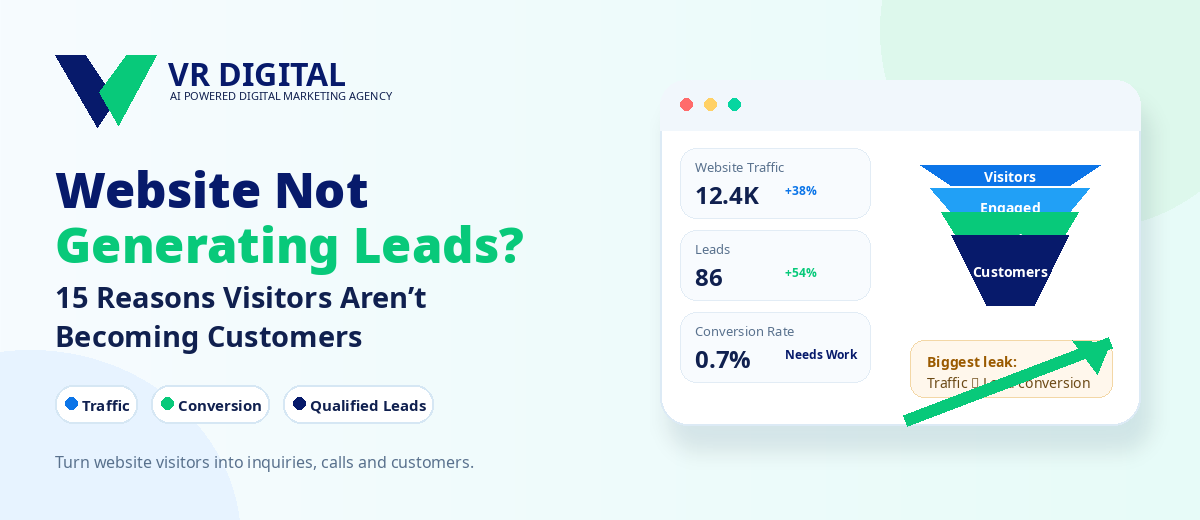
If website lead generation has stalled, don’t guess. Find where visitors drop off and remove whatever keeps them from enquiring, calling, or booking a demo. The aim isn’t more traffic; it’s turning the traffic you already have into qualified conversations.
Here’s a practical way to separate measurement glitches from real conversion problems, the fifteen blockers you’ll see most often, and a 30-day plan to increase website conversions without a risky rebuild. When the answer varies by stack or market, I’ll flag it.
First, confirm you’re counting leads correctly
Before you touch copy or layouts, confirm GA4 and your ad platforms are logging the right conversions. A lot of “website traffic but no leads” cases turn out to be broken events, duplicate tags, or missing thank‑you states.
Fix measurement first
Define the conversions that matter—submitted forms, booked calls, WhatsApp chats started, plus high‑intent micro‑actions like pricing clicks. In GA4, capture events through your tag manager and mark the true conversions. Test on both mobile and desktop. Make sure phone clicks, file downloads, and cross‑domain handoffs (common with payment or booking providers) are tracked without double counting.
Use clean UTM parameters so channel and campaign attribution holds. In Google Ads and Meta, verify conversion actions are deduped, valued, and aligned to the right attribution window. In Search Console, pair top queries with the matching landing pages to confirm intent fits the offer.
The 15 conversion blockers hurting your site
- Unclear value proposition. If visitors can’t grasp what you do and why it’s better within five seconds, they’re gone. Jargon in the hero is a quick exit.
- Weak above-the-fold content. Headlines fail to name the problem or the outcome. CTAs feel generic or hide below the first scroll.
- Slow mobile performance. Heavy images, render‑blocking scripts, and chat widgets slow everything down. In India, mid‑tier devices on 4G drop off fast.
- Forms that ask too much. Extra fields, file uploads, and captchas add friction. A single missing validation message can tank completion.
- No trusted contact options. Plenty of users would rather call or start on WhatsApp than fill a form. Hide that path and they leave.
- Trust deficit. If reviews, ratings, case snippets, client logos, or guarantees don’t appear near the CTA, credibility dips. Put social proof where decisions happen.
- Pricing opacity. When buyers expect a range and see nothing, they won’t enquire. A starter price, a calculator, or a tiered overview sets expectations.
- Offer misfit. Lead magnets, demos, or audits that don’t solve the immediate problem get ignored. The offer has to meet the visitor’s place in the journey.
- Navigation noise. Too many choices create paralysis. Landing pages need one primary action, not a full site menu.
- Generic stock visuals. Images that don’t show the product, people, or outcomes undercut credibility. Real screenshots and results‑oriented imagery help.
- Broken or ambiguous CTAs. Buttons that don’t look clickable, vague labels, or modals blocked by pop‑up blockers waste intent.
- Mismatched traffic. Broad keywords, weak placement exclusions, or vague social targeting send the wrong people. Even perfect pages won’t convert them.
- Thin content. Key questions go unanswered. Without FAQs, process steps, turnaround times, or deliverables, visitors can’t qualify themselves.
- Compliance or accessibility gaps. Poor contrast, tight font sizes, and keyboard traps hurt completion—especially on mobile apps and older devices.
- Technical errors. 404s after a form submit, CSP issues that block scripts, or cross‑domain redirects that drop UTM parameters break attribution and trust.
A practical 30-day plan to fix the biggest gaps
Week 1: Stabilise tracking and remove friction
Validate every conversion path—form submits, call clicks, chat starts, bookings. Record test submissions and reconcile counts between GA4 and the CRM. Trim forms to the essentials, tighten CTA copy, move proof near the form, and suppress intrusive pop‑ups on mobile. Ship one focused landing page for your top‑paid keyword or offer to isolate tests.
Weeks 2–3: Build, test and learn
Create two to three landing page variants that swap the hero headline, value bullets, and the lead‑capture method (single‑step vs multi‑step vs WhatsApp start). Use an A/B tool like VWO or Optimizely, or equivalent server‑side splits if traffic is high. Watch scroll depth, rage clicks, and field abandonments in session replays to steer the next iteration.
Week 4: Scale winners, cut waste
Shift budget and organic focus toward pages, audiences, and queries with proven engagement and conversion. Pause broad, low‑intent campaigns. Expand winning variants to adjacent services or locations, update sitelinks and assets, and carry the same promise into retargeting and email follow‑ups.
Copy, design and trust signals that move visitors
Write the first screen for a skimmer. Lead with a crisp headline that names the outcome, a subhead that says who it’s for, three bullets to address objections, and one clear CTA. Near any form, add a privacy reassurance and a short proof element—“200+ projects delivered” or a 30‑second testimonial clip.
If you don’t have the in‑house capacity to rebuild key sections cleanly, consider partnering on website development and conversion optimisation so design, content, analytics, and testing line up from the start.
For India, offer a WhatsApp option alongside forms, display local phone numbers, and mention languages served when it’s relevant. Payment or booking flows should support UPI and work smoothly on low bandwidth. Use honest before/after visuals, service timelines, and SLAs to reduce risk perception.
When speed and fresh creative are both needed, teams often lean on graphic design with AI to produce consistent hero images, ad variants, and social proof blocks without slowing tests.
Traffic quality: match intent, offer and timing
Conversion rate optimization can’t rescue untargeted traffic. Start by mapping each channel to a specific intent and page. High‑intent search should land on tightly matched pages. Prospecting on social needs a lighter ask—like a checklist or tool—before you push for a call.
Plan journeys across awareness, consideration, and action with full-funnel performance marketing so prospects see a coherent message from first impression to form submit.
For organic, review Search Console to find queries that already imply urgency, then tighten those pages with clearer CTAs and proof. Localise where it helps—city names, service areas, and regional examples. If bilingual audiences matter, ship a second version instead of mixing languages chaotically.
If in‑house bandwidth is thin, bringing in search engine optimization services can help with intent mapping, on‑page fixes, structured data, and internal linking that supports pages built to convert.
Technical gains: speed, data, and AI-search readiness
Performance affects revenue. Audit Core Web Vitals—LCP, CLS, and INP (now replacing FID)—on mobile. Compress and lazy‑load media, minify CSS/JS, defer non‑essential scripts, and limit third‑party widgets. Cache well and serve modern formats. Fix form validation, 404s after submit, and any cross‑domain redirects that strip parameters.
Prepare content for both traditional search and answer engines with AEO, GEO, and AI search optimisation. Use clear headings, concise definitions, and schema where appropriate (FAQ, HowTo, Product, Organization, LocalBusiness) so systems can extract accurate answers without stripping nuance.
Use Lighthouse and WebPageTest for deeper diagnostics, and monitor with real‑user data where possible. Keep a lean tag manager, set consent properly, and document changes. If a booking or payment provider injects heavy scripts, isolate them from pages that don’t need them to protect speed.
Talk to a VR Digital Strategist →
Conclusion
Most “website traffic but no leads” issues come down to three things—measurement gaps, misaligned offers, and avoidable friction. Tackle those first, then refine traffic and technical foundations. You’ll generate leads from website visits more consistently without betting on a redesign.
If you want sustained gains in website lead generation, run a simple cadence of audit, test, and scale. VR Digital can partner with your team or fill specific gaps, but the right next step is the smallest change you can ship and measure this week.