A customer with a leaking tap needs a plumber who serves their neighbourhood and can explain the next available visit. A cleaning enquiry may need a quotation for a particular property size. When both searches reach a general advert or an unclear booking page, your team spends time sorting calls that may never become jobs.
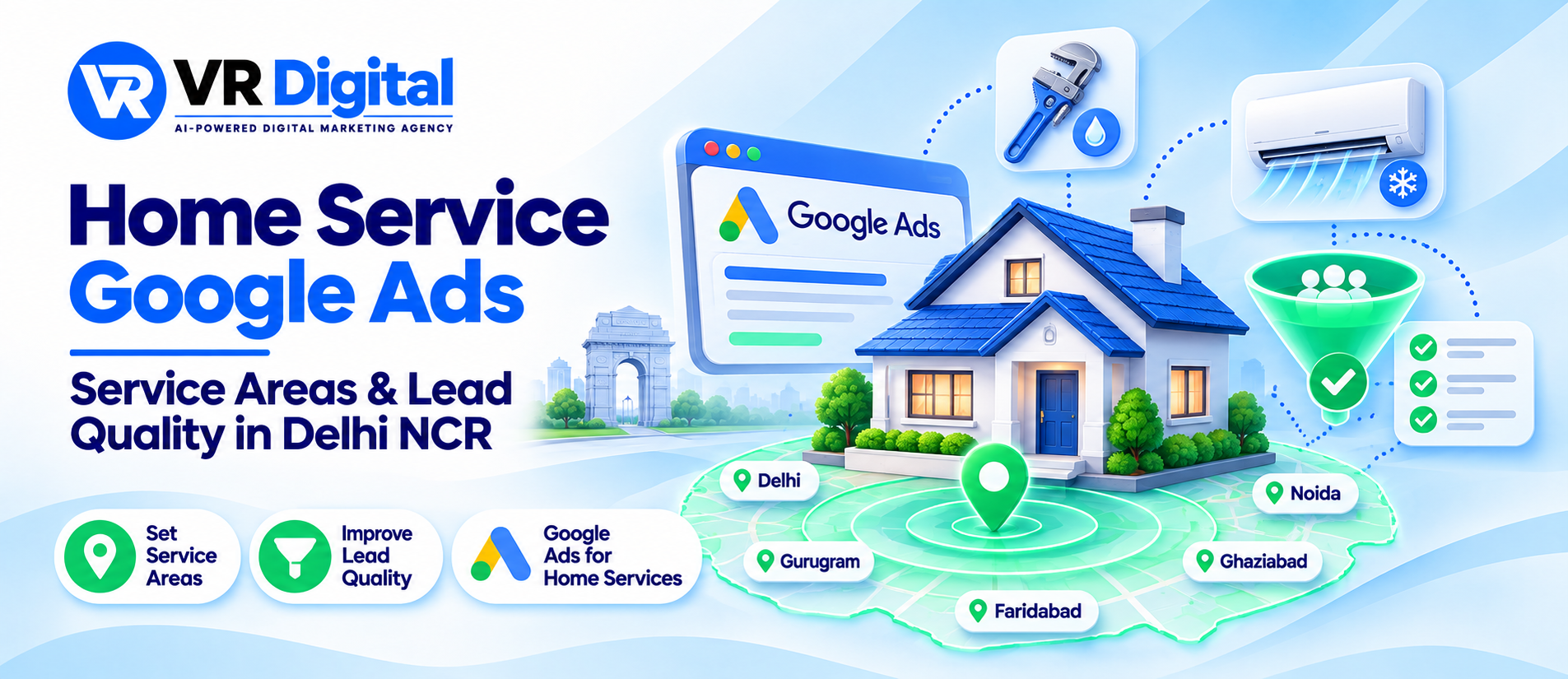
Google Ads for home services in Delhi NCR should connect the right service with an area your team can cover. The aim is to bring enquiries your staff can answer and fulfil, while keeping wasted travel, unsuitable requests and missed calls visible in your reporting.
This guide explains how to plan service area targeting, organise campaigns, use negative keywords and measure lead quality. Start with the jobs you can deliver reliably, then build the advertising around those limits.
Define your service area before choosing keywords
List the localities your team serves, the services available in each area and any minimum job requirements. Coverage may differ between Delhi, Noida, Ghaziabad, Faridabad and Gurugram. A technician who handles one zone cannot automatically cover the entire region at the same price or response time.
Ask the operations team where bookings are often declined. Travel time, parking, parts availability and job size can all affect whether an enquiry is useful. Turn that information into a clear service map rather than relying on an ambitious list of city names.
For campaign planning, explore VR Digital’s Google Ads services for Delhi NCR. Share your real coverage and accepted job types so the account can reflect how the business operates.
Separate services with different customer needs
Group searches by the job people want done. Plumbing repairs, deep cleaning and appliance servicing need different explanations and booking questions. Even within one trade, installation and repair enquiries may have different values or staffing needs.
A focused structure helps you see which services consume budget and which produce suitable bookings. Start with enough separation to make decisions, without creating dozens of tiny campaigns that your budget cannot support.
Use customer language when planning search terms. “Bathroom leakage repair” and “blocked drain service” describe different problems, even though both relate to plumbing. These are examples to investigate, not claims about search volume. Compare account forecasts with actual enquiry wording before deciding what to target.
Check how Google matches location
Select locations that match your coverage and review the campaign’s advanced location options. For a business wanting people in its service area, presence targeting may fit the objective better than including people merely interested in that area. Google’s location options guidance explains the distinction.
Location signals are imperfect. A selected radius does not create an exact boundary around every customer, so review geographic results and ask for the job locality during qualification. Someone calling from outside your coverage might still be arranging work at a property inside it.
Keep your website’s coverage information consistent with your local business presence. VR Digital’s local SEO services for Delhi NCR can be discussed alongside paid campaigns when customers check your business on Search or Maps.
Use negative keywords with a clear reason
Review the search terms report for requests you do not serve. Recruitment, courses, equipment sales or do-it-yourself instructions may be irrelevant to a company selling booked home visits. Exclude a term only when you understand why it does not match the offer.
Be careful with words such as “cheap”, “commercial” or an appliance brand. They could be valuable or unsuitable depending on your services. A blanket list copied from another account can remove useful demand as easily as irrelevant clicks.
Negative keyword match types work differently, and close variants are not automatically covered. Read Google’s negative keyword guidance, then review new searches regularly. Record why important exclusions were added so future account changes remain understandable.
Make the landing page useful before asking for a booking
Send the advert to the relevant service page. Explain what the visit includes, the areas covered and how the quotation or inspection process works. If pricing depends on the problem, describe that process instead of using an attractive figure that rarely applies.
Show the business identity, working contact route and applicable booking terms. Mention emergency availability, guarantees or technician credentials only when the business can substantiate them. Avoid response-time promises that depend on traffic or staff availability you have not checked.
Test the page on a phone. A short form can ask for the service, locality and preferred contact time. Do not make customers repeat those details after submitting. For improvements, see VR Digital’s website development services for Delhi NCR.
Check the booking journey before increasing spend. Request a free website audit to discuss your service pages and enquiry forms.
Define a qualified enquiry with your team
Agree a simple definition: the customer needs a service you offer, the job is in an accepted area and there is a realistic opportunity to arrange it. A genuine enquiry can still fail to become a booking because of timing or price; record that reason rather than labelling every lost job as spam.
Track contact clicks, submitted forms, answered conversations, confirmed bookings and completed jobs separately. Test that a successful form submission is recorded once. A page reload or repeated button press should not make one person look like several customers.
Use a small enquiry log with service, locality, source and outcome. Restrict access to customer details and collect only what is needed. Our performance marketing guide explains why commercial outcomes deserve attention alongside advertising metrics.
Review the operational reasons behind poor results
Compare campaign reports with the team’s experience each week. High contact activity with few bookings might point to unanswered calls, unclear charges or unavailable appointment slots. Changing bids alone will not resolve those problems.
Work through the biggest issue first, then allow enough time to judge the effect. Expand coverage or budget when your evidence and staffing support it. More impressions or a higher click-through rate can be useful signals, but completed, worthwhile jobs give a clearer picture of business value.
Want a campaign built around jobs you can fulfil? Contact VR Digital with your services, coverage and current enquiry challenges.